
The awkward money chat, solved
Every group has that moment. The trip is over, the photos are posted, and someone has to say it: "So… who owes what?" Then comes the screenshot of a calculator, a long WhatsApp thread, and one friend who quietly paid more than everyone else.
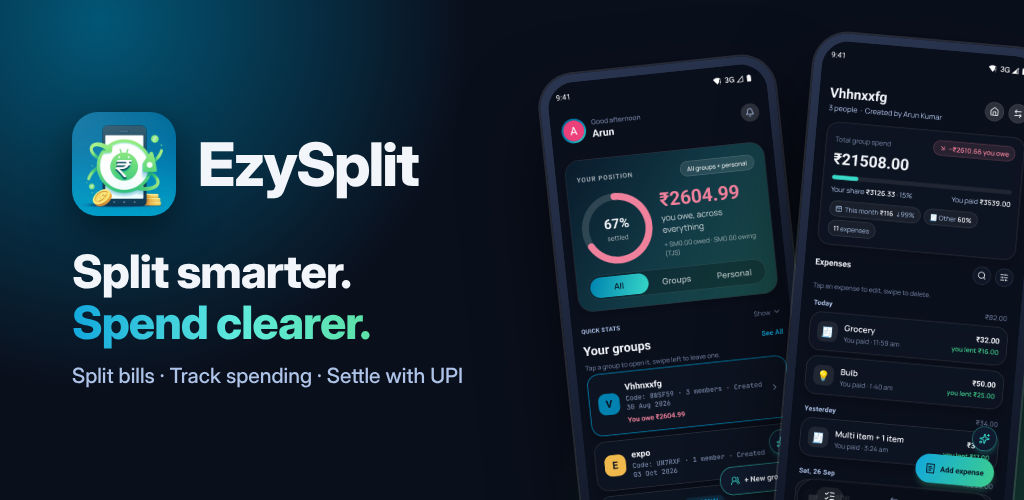
I built EzySplit because money shouldn't be the awkward part of hanging out. You add what you spent, EzySplit does the maths, and everyone sees the same numbers. When it's time to settle, you pay with UPI in a tap and the balance clears for everyone.
What EzySplit does
Split any way you like
Split equally, by exact amounts, by percentage or by shares. For a restaurant bill or a grocery run, add each item and its price and EzySplit adds up the total for you.
Know who owes whom, instantly
Live balances show who owes whom at a glance, and every expense says clearly whether you lent or you owe. Activity is grouped by day, so it's easy to find that one dinner from last Friday.
Settle up without the awkwardness
Pay a friend through UPI in a tap, or record a cash payment. Every settlement is tracked, so balances stay accurate.
No more surprise balances
Every edit is tagged and kept in a change log. If someone changes an expense after you've settled up, EzySplit flags it and shows exactly what moved and why. Nobody has to wonder whether the numbers were quietly changed.
Your own spending too
Personal spend lists sit right next to your groups, for expenses that are just yours. A monthly insight shows your top category and how this month compares with last.
Reports when you need them
Export any group as a clean PDF to share, or an Excel sheet to check every rupee.
Made for the way you actually spend
Trips with friends. One group for the whole trip, multi-currency for travel abroad, and one settle-up when you're home.
Flatmates. Rent, electricity, Wi-Fi and the weekly grocery run, all in one place, with no running tally on the fridge.
Couples. Split shared costs fairly, by percentage or shares, and keep personal spending separate.
Office lunches and parties. Multi-item bills mean everyone pays for what they ordered.
Private groups, free to use
Groups stay private. Invite friends with a link, a 6-character code or a QR code, approve who joins, and lock a group anytime.
EzySplit is free to use. Sign in with Google and start splitting in seconds.
Get EzySplit
EzySplit is live on Google Play: EzySplit: Split & Track Spend. Make a group for your next trip or your flat, and let the app keep the maths honest.
Ideas or feedback? Reach us at ezysplit.techtiten.com/support.