
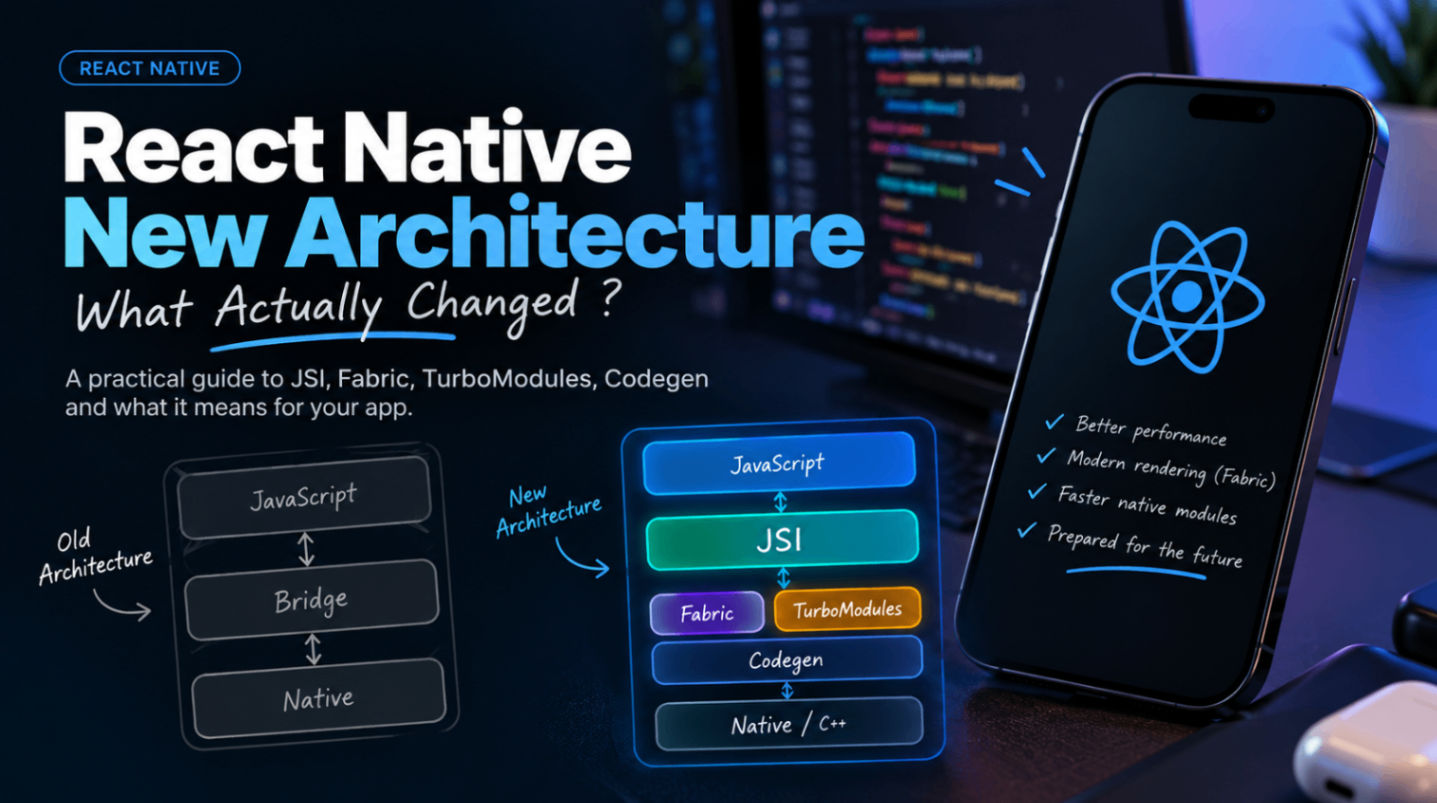
React Native New Architecture: What Actually Changed?
If you’ve been working with React Native for a while, you’ve probably heard the term New Architecture more times than you’d like.
Fabric. TurboModules. JSI. Codegen. Bridgeless.
At first, it sounds like React Native got a collection of new buzzwords.
But the New Architecture is actually a pretty significant change in how React Native communicates with native code and renders your application.
I’ve been working with React Native for a few years, and one thing I’ve noticed is that most explanations of the New Architecture start with “the old architecture was slow, and the new architecture is fast.”
That’s not really the whole story.
So let’s break down what actually changed, why React Native needed this change, and what it means if you’re building apps today.
First, how did the old architecture work?
Before the New Architecture, React Native relied heavily on something called the Bridge.
You can think of the Bridge as a communication layer between JavaScript and native code.
Your React Native application runs JavaScript, while things such as:
UI components
camera
location
storage
sensors
native modules
live on the native side.
Whenever JavaScript needed to communicate with native code, the Bridge was involved.
A simplified version looked something like this:
JavaScript
    ↓
   Bridge
    ↓
Native
For many applications, this worked perfectly well.
The problem appeared when an application started doing a lot of communication between these two worlds.
Imagine a screen that needs to send hundreds or thousands of pieces of information between JavaScript and native code.
The Bridge isn’t necessarily “bad”, but the architecture around it introduced overhead.
And that became more noticeable as React Native applications became more complex.
So what is the New Architecture?
The New Architecture is not one single feature.
It’s a collection of changes designed to make React Native’s communication with native code more direct, predictable, and efficient.
The major pieces are:
JSI
Fabric
TurboModules
Codegen
Bridgeless mode
Let’s look at each one.
1. JSI — JavaScript Interface
JSI is probably the most important piece to understand.
JSI provides a way for JavaScript to interact with C++ and native functionality without relying on the traditional asynchronous Bridge communication model.
Previously:
JavaScript
     ↓
   Bridge
     ↓
Native
With JSI, the relationship becomes more direct:
JavaScript
     ↕
    JSI
     ↕
Native / C++
This doesn’t mean JavaScript suddenly becomes native code.
Instead, JSI provides the underlying interface that allows JavaScript and native/C++ code to communicate much more directly.
This is one of the reasons libraries such as React Native Reanimated and React Native Vision Camera can perform work much closer to the native side.
And this is where things start getting interesting.
2. Fabric — the new rendering system
Fabric is React Native’s new rendering architecture.
The old renderer was called the Paper renderer.
Fabric changes how React Native creates and updates native views.
A simplified way to think about it is:
React
 ↓
React Native
 ↓
Fabric
 ↓
Native UI
One of the important goals here is better integration with React’s modern rendering capabilities.
This becomes particularly useful for applications with complicated UI updates, animations, gestures, and frequent state changes.
For example, imagine a screen where you’re constantly updating:
a list
animations
gestures
native components
user interactions
Fabric gives React Native a more modern foundation for handling these updates.
3. TurboModules
TurboModules are essentially the new way of building native modules in React Native.
Think about something like:
Camera
Location
Bluetooth
Storage
Payments
These features often require native implementations.
The old architecture relied on the traditional Native Modules system.
TurboModules introduce a more efficient model where native modules can be loaded when they’re actually needed.
This is called lazy loading.
For example, if your application has a native module for accessing the camera but the user never opens the camera screen, there is less reason to initialize that module immediately.
That can help reduce unnecessary startup work.
4. Codegen
This is one part of the New Architecture that doesn’t get talked about as much.
Codegen allows React Native to generate native code based on a defined specification.
For example, instead of manually maintaining the communication contract between JavaScript and native code, you can define the interface and let React Native generate the necessary pieces.
Conceptually:
TypeScript / Spec
       ↓
    Codegen
       ↓
Native implementation
This makes native modules and native components more strongly typed and reduces the amount of manually maintained glue code.
For developers working with custom native modules, this becomes especially important.
5. Bridgeless Mode
And then there is Bridgeless Mode.
This is probably where the naming becomes slightly confusing.
If the New Architecture is designed to move away from the old Bridge, why wasn’t everything simply called “Bridge-less React Native”?
Because the New Architecture is bigger than just removing the Bridge.
Bridgeless mode removes dependencies on the legacy Bridge runtime and allows React Native to operate using the newer architecture.
This gives React Native a cleaner foundation for the future.
Does the New Architecture automatically make my app faster?
This is probably the biggest misconception.
No.
Enabling the New Architecture doesn’t magically turn a poorly optimized application into a fast one.
If your application does this:
for (let i = 0; i < 1000000; i++) {
  // expensive work
}
the New Architecture isn’t going to magically make that loop disappear.
The same applies to:
unnecessary renders
huge FlatLists
expensive calculations
badly designed Firestore queries
large images
memory leaks
unnecessary state updates
The New Architecture gives React Native a better foundation.
It doesn’t replace application-level optimization.
What actually feels different as a developer?
This is where things get interesting.
If you’re building normal React Native applications using components such as:
<View />
<Text />
<FlatList />
<Pressable />
you might not notice a dramatic difference immediately.
And that’s intentional.
React Native wants the transition to be relatively transparent for application developers.
The bigger changes become visible when you work with native libraries.
For example, you may encounter errors such as:
This library does not support the New Architectureor:
TurboModuleRegistry.getEnforcing(...)or issues related to:
Codegen
Fabric
TurboModules
JSI
This is where the New Architecture becomes very real.
The biggest pain point: library compatibility
This is probably the part developers don’t talk about enough.
Your application might work perfectly fine until you enable the New Architecture.
Then suddenly:
Library A → works
Library B → works
Library C → crashes
Library D → build error
Library E → weird runtime behaviour
And you’re left wondering:
“I only changed one flag. What happened?”
The reason is that some libraries were written around assumptions from the old architecture.
Native libraries need to explicitly support the new architecture patterns.
This is especially important for libraries involving:
custom native views
camera
video
maps
animations
native storage
device APIs
So when starting a new React Native project today, I wouldn’t just ask:
“Does this library work with React Native?”
I’d also ask:
“Does this library support the New Architecture?”
That second question can save you a lot of debugging time.
What about Reanimated?
Libraries such as React Native Reanimated are a good example of why the New Architecture matters.
Animations are one of the areas where constantly moving work between JavaScript and native environments can become expensive.
Reanimated has its own execution model that allows animation-related work to run outside the normal JavaScript execution path.
Combined with JSI and the newer React Native architecture, this gives developers much more powerful options for building smooth interactions.
The important point is that the New Architecture isn’t just about rendering <View />.
It’s also about giving libraries better primitives to build high-performance functionality.
Do I need to understand C++ to use the New Architecture?
Thankfully, no.
If you’re primarily a React Native application developer, you can continue writing:
const App = () => {
  return <View />;
};
You don’t suddenly need to become a C++ developer.
However, understanding the concepts becomes useful when you’re debugging native issues.
Especially when working with:
TurboModules
Fabric components
JSI
Codegen
native libraries
You don’t necessarily need to implement them yourself.
But knowing what they are makes debugging much easier.
Should existing React Native apps migrate?
This depends on the application.
If you’re maintaining a relatively old application with many native dependencies, migration should be treated as an actual engineering task rather than flipping a switch and hoping everything works.
I’d check:
1. React Native version
Make sure you’re on a reasonably recent version.
2. Native dependencies
Check every important native library.
Especially:
Camera
Maps
Video
Storage
Notifications
Payments
Animations
3. Build pipeline
Test:
Android
iOS
Debug
Release
CI/CD
Don’t assume that because Debug works, Release will also work.
4. Native customizations
If your application has custom Java/Kotlin/Swift/Objective-C modules, give those extra attention.
5. Performance
Measure before and after.
Don’t rely only on:
“It feels faster.”
Use actual metrics where possible.
Should new React Native projects use the New Architecture?
For a new project, I’d generally start with the New Architecture rather than building a new application around legacy architecture assumptions.
The ecosystem is moving in this direction, and the newer APIs and libraries are increasingly designed around it.
But there is an important rule:
Don’t blindly enable something just because it’s newer.
Check your dependencies first.
A production application is not the place to discover that your most important native library isn’t ready.
The bigger picture
The New Architecture is less about making React Native “faster” and more about removing architectural limitations that became increasingly obvious as React Native grew.
The old architecture was created at a time when React Native itself was a very different project.
Today we expect React Native applications to handle things like:
high-performance animations
real-time communication
camera processing
video
complex gestures
large lists
native SDKs
AI workloads
advanced graphics
Those workloads need better communication between JavaScript and native code.
That’s what the New Architecture is really preparing React Native for.
Final thoughts
When I first started looking into the New Architecture, terms like JSI, Fabric, TurboModules and Codegen made it feel much more complicated than it actually is.
The easiest way I’ve found to think about it is:
Old React Native

JavaScript
     ↓
   Bridge
     ↓
Native


New React Native

JavaScript
     ↕
    JSI
     ↕
Native / C++

        +
     Fabric
        +
   TurboModules
        +
     Codegen
The goal isn’t to make developers write more complicated React Native code.
The goal is to give React Native a better foundation underneath the code we’re already writing.
And honestly, that’s probably the most important thing to understand about the New Architecture.
You don’t need to use JSI every day.
You don’t need to write C++.
You don’t need to build your own TurboModule.
But as React Native developers, understanding why these technologies exist is becoming increasingly important.
Because React Native isn’t just trying to compete with native development anymore.
It’s trying to make the boundary between JavaScript and native development much less painful.
And the New Architecture is a big part of that story.